Planned
Image APIs
Image generation and editing are part of the Funny AI roadmap. The goal is to help developers add visual creation to product pages, design tools and content workflows. Image models are not available in the current catalog.
AI APIS FOR DEVELOPERS
Funny AI is an API platform for developers building with images, video and language models. Start with the video models available today, test your request in the Playground, and connect it to your application. Image and LLM APIs are planned.
Independent platform. Not affiliated with or endorsed by Alibaba, Wan or ByteDance.
 WAN 3.0 / 5 SECONDS / 480P
A sunlit terrace, a turn toward the camera, a natural smile. Generated from a text prompt.
16:9A product may need a storefront image, a campaign video or a language model for an assistant. Funny AI is expanding from video APIs to image and language models. Browse the current catalog and see which categories are planned.
Image generation and editing are part of the Funny AI roadmap. The goal is to help developers add visual creation to product pages, design tools and content workflows. Image models are not available in the current catalog.
Create clips from a text prompt, a starting image or supported references. Funny AI has eight video model pages with input requirements, current prices and a Playground. Choose the model whose output fits your application.
Language model access is another planned part of Funny AI, for applications such as chat, writing and coding assistants. Specific models and supported features will appear in the catalog when available; no LLM endpoint is offered yet.
The current Funny AI catalog starts with video. Compare clip length, output size and reference inputs, then open a model page to test your request in its Playground.
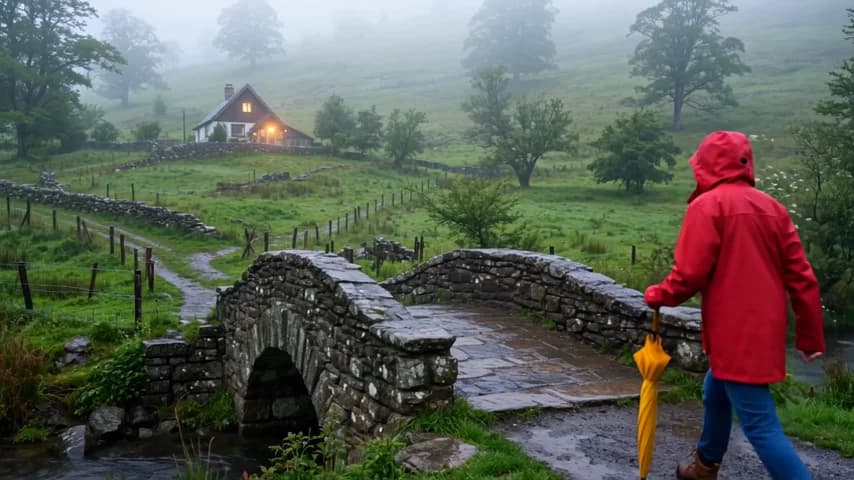
All artwork below comes from five-second, 480p videos generated with standard Wan 3.0. It illustrates scene ideas, not the output quality of the other models.

Generate clips up to 30 seconds at up to 1080p, with optional sound. On Funny AI, start from text or an image, or use references to guide appearance and movement. Reference video shares the 30-second allowance with the output.

Select 1080p, 2K or 4K for projects that need larger output dimensions. Funny AI exposes this model's own resolution choices and rates. It accepts the shared Wan inputs, including keyframes or a separate collection of media references.
Build a longer shot with up to 30 seconds of video and a larger reference collection. Funny AI supports up to 1080p output for this model. Use its Playground to prepare a scene from text, frames or compatible reference media.

Choose clips up to 15 seconds, with output options reaching 4K. Funny AI provides text, frame and reference inputs for this model. Audio references need an image or video reference alongside them; the model page explains valid combinations.
A useful estimate starts with the model and the request. Funny AI shows current rates on its pricing and model pages, with a request estimate in the Playground. Review the inputs before you generate, especially when a reference video adds billable usage.
API requests and Playground generations spend the same Funny AI account balance. Add credit when you need it, then keep track of your available funds in Credits. Top-ups add the amount paid, with no bonus credit to factor into your budget.
Wan pricing uses resolution and billable video seconds. Seedance uses video tokens. Funny AI keeps each model's rates alongside its specifications, so a larger frame or a longer reference clip can be considered before you submit the request.
Adjust the inputs and review the Funny AI Playground estimate. Creating a video requires a funded account and an available service. You can read the specifications and prepare a request before adding credit; the existing sample videos are also available to view.
Test a small request before connecting your application. Funny AI gives you the model settings, request preview and result in one Playground, with API documentation for the next step. Keep the prompt and output requirements close at hand as you compare results.
Use the Funny AI catalog to compare supported inputs and output sizes. Open the model documentation for the request format that applies to your task.
Set the prompt and inputs, then inspect the Funny AI request preview and estimate. Sign in with Google and add credit when you are ready to generate.
Open API Keys in your Funny AI account and create a key for the model family. Keep the key on your server when connecting your application.
Save the task ID returned by Funny AI. Check that same task until it completes, then use the returned video URL in your application's review or download flow.
Give your coding assistant the same Funny AI specifications and published content through these text links.
wan3.0-video
// One scene, five seconds
{
  "prompt": "A quiet coastal town at sunrise. Slow camera push-in, soft light, cinematic.",
  "resolution": "1080p",
  "ratio": "16:9",
  "duration": 5,
  "audio": true,
  "prompt_extend": true
}This example shows the selected Wan model’s fields. The integration guide supplies the endpoint and authentication; Seedance uses its own request format.
Model access, account setup and the difference between an API integration and a Playground test.
Funny AI is an independent AI API platform for developers, with video models available today and image and language model access planned. Use the catalog to choose a model, test it in the Playground and build generation into your application.
Each Funny AI model page describes its actual capabilities and current pricing.
Image and LLM APIs are planned but are not available yet. The Funny AI catalog currently contains eight video models, including models that accept images as input to create video.
Funny AI lists image-to-video as a video feature; a standalone image generation or editing API is not available.
No. Each model has a browser Playground for preparing inputs and viewing the request. Funny AI requires a Google sign-in, an available model service and sufficient prepaid balance to generate a new result.
Use the Funny AI documentation to connect the model to your application after testing the inputs and reviewing the generated output.
Models have different fields and input rules, so start from the documentation for the model you choose. Funny AI shows a matching request preview in the Playground.
Your Funny AI account works across model families, but their request bodies differ: check the model identifier and accepted media before submitting.
Generation uses your prepaid USD balance, shared by the API and Playground. Funny AI shows current model rates and request estimates, while the final charge follows that model's usage calculation. Reference video can add to the billable usage, and disabling generated audio does not give the current video models a lower rate.
Yes. Funny AI shares the existing Wan API backend and user data, including the account balance, API keys and task history. The documented customer API address remains api.wanapi.app. You may still need to sign in on each website, because sharing an account does not share browser login cookies across domains.
Choose a model on Funny AI, try a request and review the result. When it fits your application, the API documentation is ready for the next step.